
Why Every MSP Needs a Client Portal to Elevate Service and Strengthen Retention
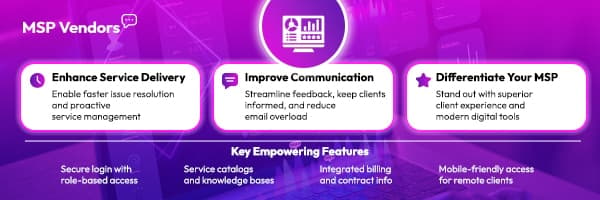
Discover how a client portal can enhance service delivery, improve communication, and differentiate your MSP.
For modern MSPs, service delivery is no longer just about uptime and fast response times. Clients today expect a seamless, transparent experience across every interaction. Whether it’s tracking support tickets, paying invoices, or accessing past reports, they want self-service options that are quick, intuitive, and always available.
According to Forrester, 72% of customers prefer using self-service portals to resolve issues rather than contacting support directly. For MSPs, this trend isn’t just about convenience, but also a reflection of how clients define professionalism and trust.
The right client portal doesn’t replace human support. It complements it. It shows your clients that you’re invested in their time, not just their contracts. It keeps communication clean, makes account management easier, and gives clients more control, while reducing manual work for your team. When implemented with care, a client portal becomes more than a feature. It has become a competitive advantage.
What Is a Client Portal?
A client portal is a secure, web-based hub where clients can access services, manage requests, and track interactions with their MSP. It centralizes essential functions like submitting tickets, viewing invoices, downloading reports, and requesting support, all in one place.
More than just a support tool, a well-built portal connects directly with your backend systems, providing real-time updates and role-based access. Clients can log in anytime to handle routine tasks without waiting for emails or calls. It’s a cleaner, more efficient way to manage relationships and deliver consistent, high-quality service.
How Are Client Portals Used and Who Uses Them?
Client portals are used across a wide range of industries, but within the MSP space, their role is especially critical. They’re not just for IT managers or technical users, but they also serve operations leads, finance departments, procurement teams, and even executive stakeholders who want visibility into ongoing service activity.
For day-to-day use, clients rely on portals to open and track support tickets, review billing, manage subscriptions, or access service documentation. Some use it to monitor SLAs or check the status of infrastructure upgrades. Others simply want one place to view updates without waiting for a callback or combing through email threads.
On the MSP side, portals reduce the noise. Fewer status update requests. Fewer billing inquiries. Fewer back-and-forths on tasks that could be self-served. This frees up time for more strategic conversations and strengthens trust, because clients feel empowered, not dependent.
The more integrated the portal is with your service delivery stack, the more value it provides. Whether the client is a hands-on IT team or a non-technical department head, a clear, easy-to-navigate portal levels the playing field and enhances the relationship.
Why Does a Client Portal Signal High-Quality MSP Service?
A well-designed client portal doesn’t just support your services but reflects the maturity of your operations. When a client logs in and sees organized dashboards, real-time updates, and accessible resources, it signals that your MSP has structure, foresight, and a genuine commitment to transparency.
Clients today expect more than good support. They want to know their provider is proactive, not reactive. A portal shows you’ve invested in their experience. It shows that you’re thinking ahead by making it easier for them to get answers, track requests, and manage their services, all without needing to chase updates.
It also highlights operational discipline. A cluttered or outdated portal sends the opposite message: that your processes are scattered or incomplete. But a clean, responsive portal? That builds credibility.
Ultimately, the presence of a functional, client-friendly portal tells clients that you’re serious about quality. It’s a signal that your MSP is not only equipped to manage their technology but also invested in the relationship.
How Client Portals Improve Client Service
A client portal is more than just a convenience. It transforms how the service is delivered. Here’s how it raises the bar for client experience and operational efficiency:
Streamline Onboarding
New client onboarding can be time-consuming. A portal simplifies this by offering a structured, step-by-step space where clients can complete forms, upload documents, and access welcome materials. It shortens ramp-up time and reduces manual back-and-forth, allowing your team to focus on value delivery instead of repetitive admin.
Tiered and Tailored Experiences
Not all clients need the same tools or visibility. Portals allow you to customize access based on service tier or role, giving each client exactly what they need, no more, no less. A smaller client may only need basic ticketing, while an enterprise account might benefit from reporting dashboards and license management.
Create a Unified User Experience
Instead of scattering functions across tools, portals bring everything together: ticketing, billing, reports, and communication. This consistency improves the user experience and makes your MSP feel more cohesive. When clients always know where to go and what to expect, it reduces friction and builds confidence.
Make Easy-to-Find Answers for Users
A searchable knowledge base within the portal helps clients resolve simple issues on their own. Whether it’s how to reset a password or understand a service’s term, self-help reduces support volume while keeping clients satisfied. This is especially valuable outside business hours when live support isn’t available.
Provide an Up-to-Date Archive of Resources for Employees and Clients
A well-maintained portal becomes a living resource center. Clients can pull up contracts, historical tickets, invoices, or security policies whenever they need them. It also empowers internal staff with quick reference to the same materials, keeping everyone aligned and informed without relying on email threads.
What Should Be in a Client Portal?
A portal’s value comes from what it allows clients to do, clearly, efficiently, and without unnecessary steps. While the exact features may vary by MSP, the following core functions are expected by most clients today:
Open Support Tickets
Clients need a quick way to report issues or request help. A built-in ticketing feature with priority tagging, category selection, and the ability to add attachments streamlines support from the start.
Pay Bills
An integrated billing section allows clients to view, download, and pay invoices directly from the portal. This reduces missed payments and saves time for both sides.
Communicate with Your Provider
A secure messaging system or comments section tied to tickets or tasks improves visibility and keeps conversations in context. No more lost threads or scattered updates.
Subscription Management
Clients should be able to view active services, check renewal dates, and request changes to their subscriptions. Giving them this visibility minimizes confusion and reduces reactive inquiries.
Track the Status of Quotes
If your sales process involves quoting, the portal can serve as a central place to track quote history, approval stages, and service scope, adding clarity to ongoing deals.
Renew Services
Clients shouldn’t have to email support just to renew. One-click renewal options or automated reminders can keep their services current without added friction.
Order New Services
Whether it’s a hardware upgrade, software license, or a new support package, a service catalog or request form allows clients to initiate orders easily.
Track Performance
Dashboards showing uptime, ticket resolution times, or security metrics demonstrate value and keep clients informed. This transparency builds trust and makes quarterly reviews more meaningful.
Track Order Status and Shipment
For MSPs managing hardware procurement, order tracking within the portal helps clients monitor delivery progress, reducing follow-up calls and ensuring peace of mind.
What Are the Best Practices for Building a Client Portal?
Building a portal isn’t just about features; it’s about delivering an experience that reflects your MSP’s professionalism, technical capability, and client-first mindset. These best practices help ensure your portal adds value from day one.
Add Elements of Engagement
Your portal should do more than display information; it should invite action. Use prompts, reminders, and interactive dashboards to guide the user’s journey. A client should immediately know what they can do next: open a ticket, renew a service, or check their usage. Clear calls to action reduce hesitation and drive self-service adoption.
Put Security Front and Center
Clients entrust sensitive business data to your platform. Role-based access controls, audit logs, SSO options, MFA, and encrypted communications should be standard. Beyond technical protections, make security visible. A secure-looking portal builds trust the moment a user logs in.
Keep the Portal Up to Date
An outdated portal is a liability. Clients notice broken links, missing documentation, or dashboards that no longer reflect current services. Maintain it like any other critical asset, update support articles, refresh UI elements, and retire unused features. Regular reviews can keep your portal lean, current, and easy to navigate.
Add Your Own Branding
A white-labeled or fully branded portal reinforces your MSP’s identity. This includes custom domains, logo placement, color schemes, and consistent terminology that mirrors your service catalog. It helps clients feel like they’re interacting with your business, not just a third-party platform.
Make Your Customer Portal Your Competitive Edge
Don’t settle for a standard setup. Use the portal to showcase your service value, like uptime reports, NPS surveys, real-time ticket performance, or executive dashboards. Give clients more than what they expect. A well-built portal can differentiate your MSP in a crowded market by delivering transparency, accessibility, and accountability at scale.
Ready to Make Your Client Portal a Competitive Differentiator?
Client experience is your MSP’s brand in motion, and the portal is where that experience becomes tangible. A well-executed client portal doesn’t just reduce support tickets. It creates trust, delivers clarity, and gives your team room to operate at a higher level.
Looking for vendors that support flexible, secure, and customizable portal solutions? Browse trusted tools and service providers at MSPVendors.com and build a portal your clients will actually want to use.